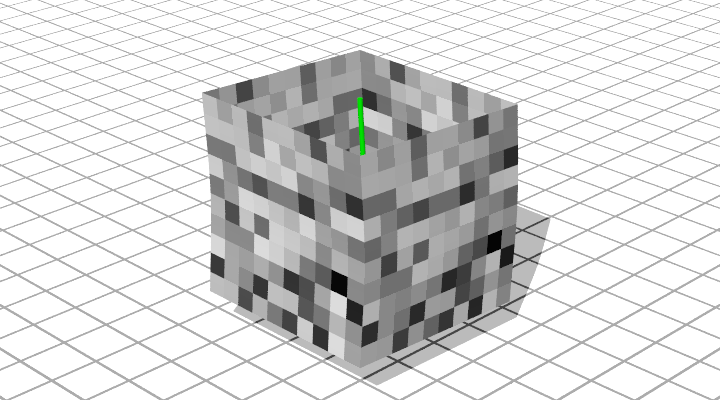
Box-like Shapes
It is possible to generate shapes that mimic boxes using a single 2-dimensional grid. By using a single grid, the corners will line up between faces automatically.
However, the tactic used here is not to declare the eight points of the box, but to declare a central spline use several parameters to describe the final shape. This method allows a box-like shape to turn and twist.
The current modeling procedure only allows for the four sides, not the top and bottom, to be modeled.
A Simple Example
#include "bez.inc"

#declare Bez_Texture =
   texture { pigment{ cells scale 0.1 }
             finish { phong 0.1}
           } // end of texture

#declare Spine = array[3] {
    <0.00,  0.00,  0.00>,
    <0.01,  2.00,  0.10>,
    <0.00,  4.00,  0.00> }
#declare EnhancedSpine = ConnectPoints(Spine, 0, 0)


object{DrawConnected(EnhancedSpine, 0.05) pigment { green 1 } finish { phong 1 } }

#declare Box = CreateBoxGrid(Spine, 2, 2, 4, 4, 4, 4)


DrawPatches(CreateGridControlPoints(ExtractFace(Box, 0, 3),0), Bez_Texture)
DrawPatches(CreateGridControlPoints(ExtractFace(Box, 3, 6),0), Bez_Texture)
DrawPatches(CreateGridControlPoints(ExtractFace(Box, 6, 9),0), Bez_Texture)
DrawPatches(CreateGridControlPoints(ExtractFace(Box, 9, 12),0), Bez_Texture)